
老照片修复不是简单地把图片变清楚。真正难控制的地方在于:清晰度要提高,但人物不能变成另一个人;污渍和划痕要去掉,但年代感不能完全消失;黑白照片可以上色,但颜色不能像现代滤镜一样突兀。
使用 Nano Banana 这类 AI(人工智能)图像编辑工具时,提示词要同时说清三件事:
- 要修什么:提高清晰度、去噪、去划痕、去污渍、恢复褪色。
- 要保留什么:人物五官、面部结构、服装细节、老照片氛围。
- 不要变成什么:不要过度美化、不要塑料皮肤、不要现代化上色、不要改变人物身份。
可以把提示词理解成一份“修图需求单”。需求越清楚,模型越容易把注意力放在正确的位置。
老照片修复提示词的基本结构
一个稳定的修复提示词通常由 4 个部分组成:
修复目标 + 具体问题 + 保留要求 + 风格限制
对应到老照片场景,可以写成这样:
| 组成部分 | 作用 | 示例 |
|---|---|---|
| 修复目标 | 告诉模型整体任务 | restore this old photo、修复这张老照片 |
| 具体问题 | 指定需要处理的缺陷 | remove scratches, stains, and noise |
| 保留要求 | 避免人物失真 | keep facial features natural |
| 风格限制 | 控制最终观感 | maintain the original vintage atmosphere |
中英文混合通常更稳。中文适合表达“不要过度美化”“保留年代感”这类审美约束,英文里的 restore、remove scratches、enhance facial details、natural skin tones 这类短语更接近图像编辑模型常见的任务描述。
一个比较完整的提示词可以写成:
修复这张老照片,restore the original look,remove scratches and noise,enhance facial details,保持人物五官真实,不要过度美化,保留原有年代氛围。
这条提示词没有单纯要求“变清晰”,而是把清晰度、瑕疵处理、人物真实性和年代感都限制住了。
修复流程怎么选
不同老照片的问题不一样,提示词也不应该完全相同。可以先按照片状态选择修复方向。
flowchart TD
    A[上传老照片] --> B{主要问题是什么}
    B -->|轻微模糊或褪色| C[基础修复]
    B -->|划痕 污渍 噪点明显| D[高级修复]
    B -->|黑白照片但想保留年代感| E[复古质感修复]
    B -->|黑白照片并希望上色| F[彩色化修复]
    C --> G[检查人物是否失真]
    D --> G
    E --> G
    F --> G
    G -->|细节不够| H[二次细节优化]
    G -->|风格不合适| I[轻度调色]
    G -->|结果稳定| J[导出最终版本]
关键思路是不要把所有要求一次塞进去。基础修复、细节增强、风格调整最好分开做,这样更容易判断是哪一步影响了结果。
基础修复:让老照片更清晰,但不改变人物
如果照片主要是轻微模糊、灰暗、对比度不足,没有特别严重的划痕或破损,可以使用基础修复提示词:
修复这张老照片,restore the original look,提高清晰度和对比度,保持人物五官真实,不要过度美化。
这条提示词的重点是 restore the original look 和“保持人物五官真实”。前者要求模型恢复原始观感,后者限制模型不要把脸重新生成得过于现代化。
| 修复前 | 修复后 |
|---|---|
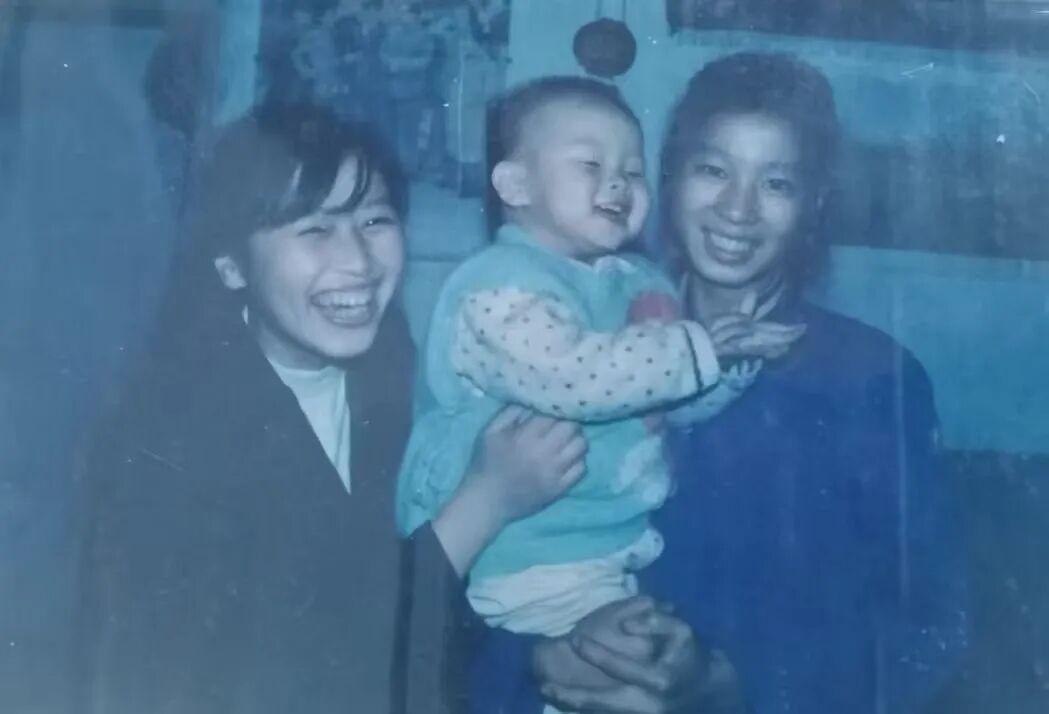
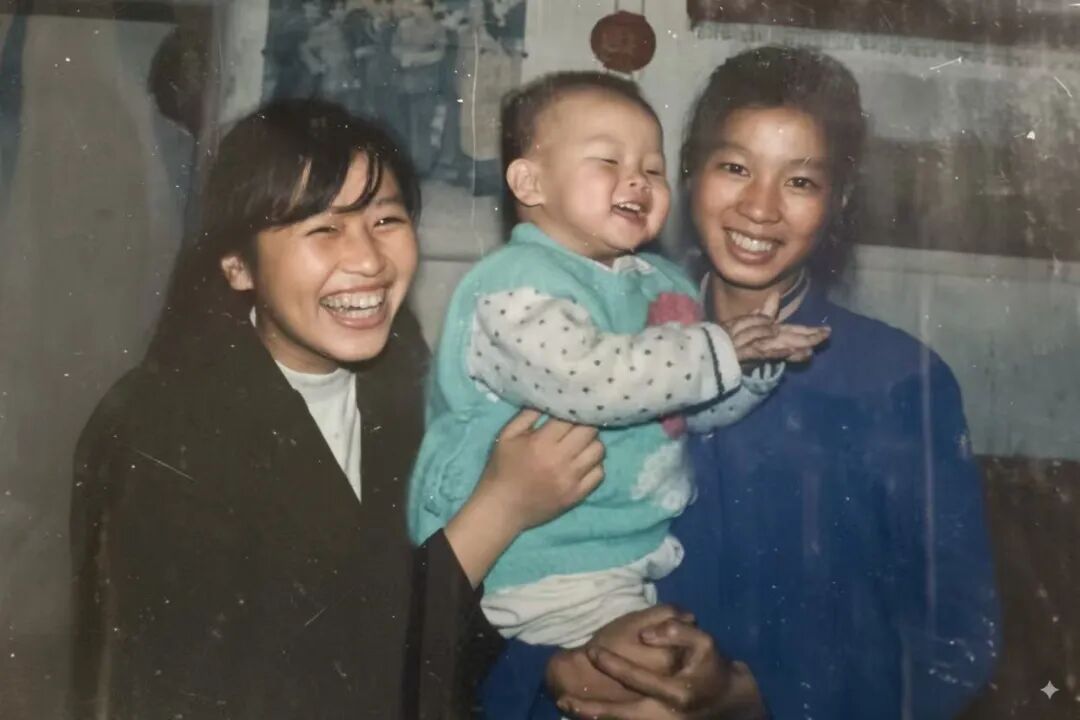
这组基础修复适合处理“看得清轮廓,但画面发灰、边缘发虚”的照片。理想结果不是把人物修成写真照,而是让原本存在的细节更容易看清:头发边缘、衣服纹理、面部轮廓会更明确,整体颜色也会更干净。
适用场景:
| 场景 | 是否适合 |
|---|---|
| 老照片轻微褪色 | 适合 |
| 面部有轻微模糊 | 适合 |
| 大面积破损 | 不够,需要高级修复 |
| 想彻底换风格 | 不适合 |
高级修复:处理划痕、污渍和噪点
老照片常见的问题不只是模糊,还有扫描噪点、纸面污渍、折痕、划痕。遇到这类照片时,提示词需要明确告诉模型要清除哪些缺陷。
Restore this vintage photo, remove scratches, stains, and noise, enhance facial details, keep natural skin tones, and maintain the original atmosphere of the era.
这条提示词包含 5 个关键动作:
| 片段 | 含义 |
|---|---|
Restore this vintage photo | 把任务定义为老照片修复 |
remove scratches, stains, and noise | 去除划痕、污渍和噪点 |
enhance facial details | 增强面部细节 |
keep natural skin tones | 保持自然肤色 |
maintain the original atmosphere of the era | 保留年代氛围 |
| 修复前 | 修复后 |
|---|---|
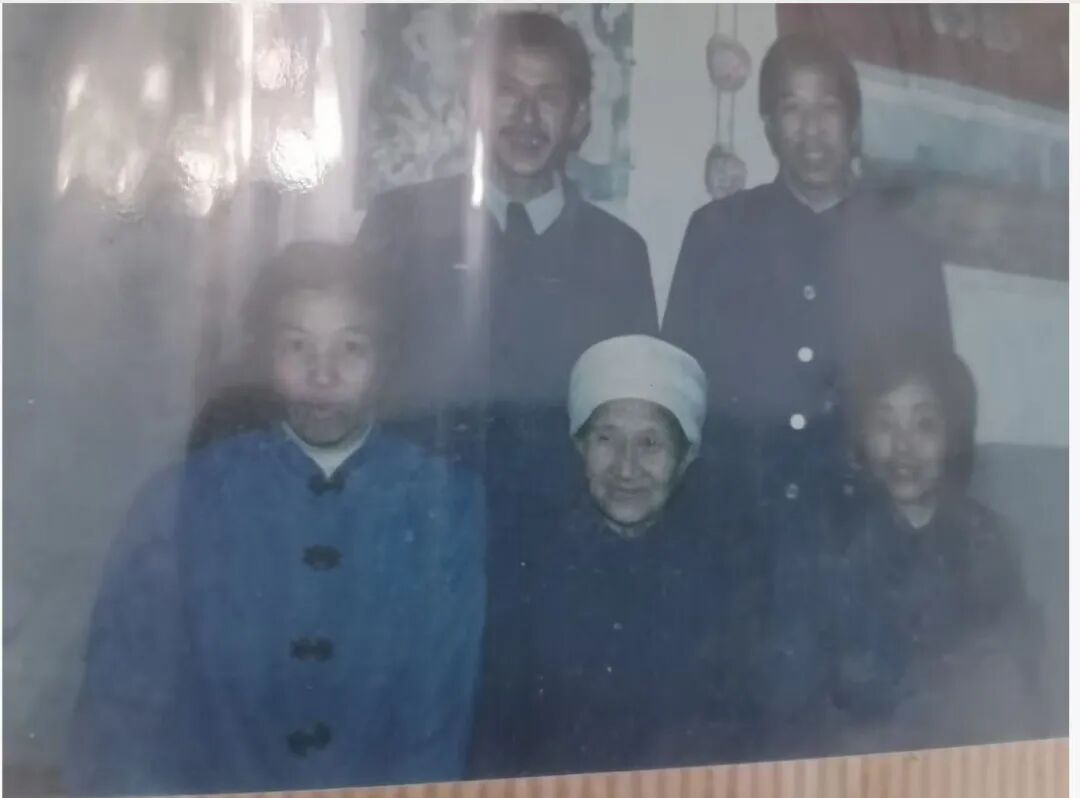
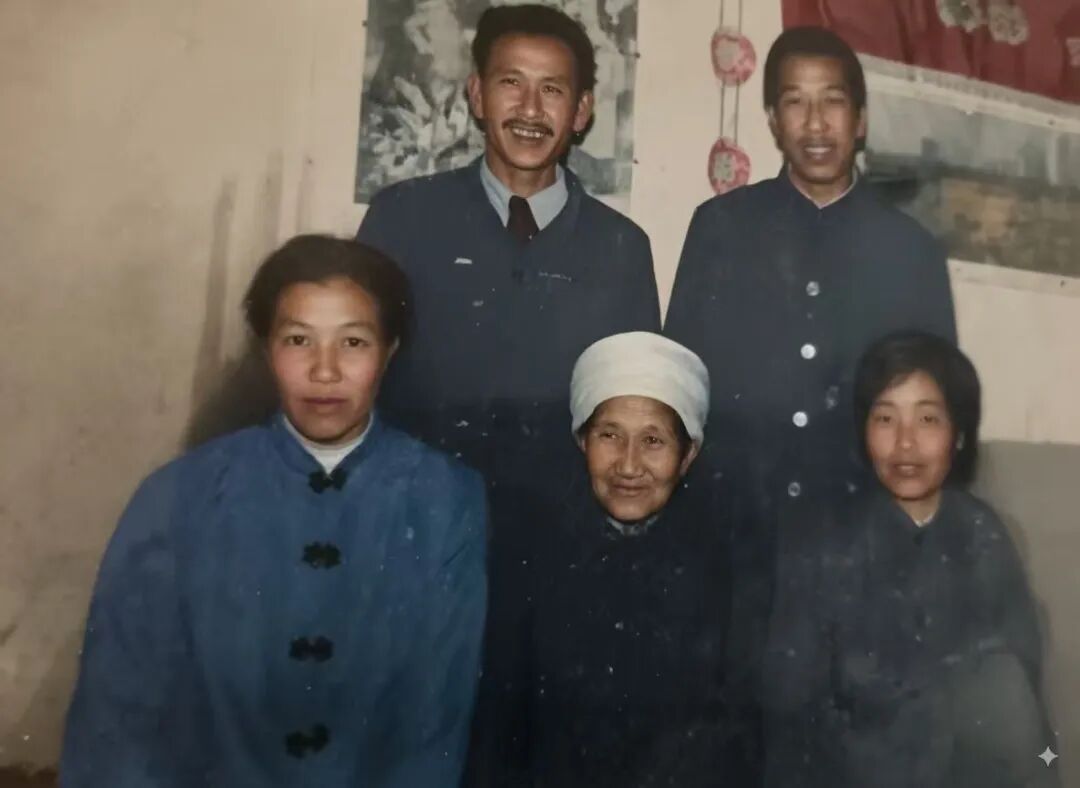
高级修复最容易出现的问题是“修得太干净”。如果模型把纸张纹理、胶片颗粒和旧照片的明暗层次全部抹掉,照片会变得像重新生成的现代照片。maintain the original atmosphere of the era 的作用就是给模型加一条边界:缺陷可以去掉,但年代感不要被清空。
如果修复后皮肤过于光滑,可以追加一轮约束:
Keep realistic skin texture, avoid plastic skin, and preserve natural facial details.
如果人物五官出现变化,可以追加:
Preserve the original identity and facial structure, do not change the person's face.
保留复古质感:修干净,但不要修得太新
有些黑白老照片的价值正来自纸面纹理、颗粒感和低对比度氛围。此时目标不是现代高清,而是“干净但真实”。
可以使用这条提示词:
Repair and restore this old black-and-white photo, keep the vintage texture, and slightly enhance contrast for a clean but authentic look.
这里的关键词是 keep the vintage texture。它告诉模型不要把照片处理成完全无颗粒、无纸感的平滑图像。slightly enhance contrast 也很重要,只要求轻微增强对比度,避免黑白层次被拉得太硬。
| 修复前 | 修复后 |
|---|---|
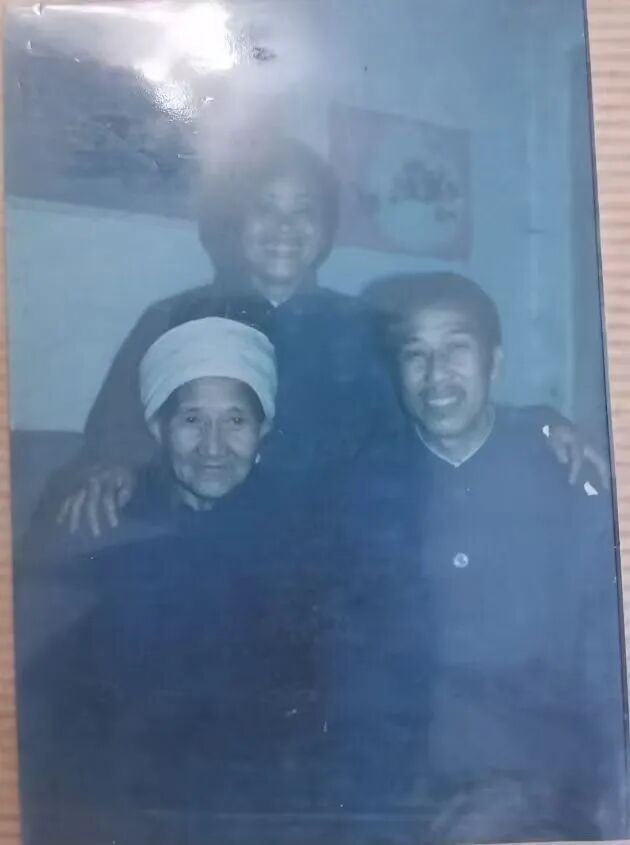
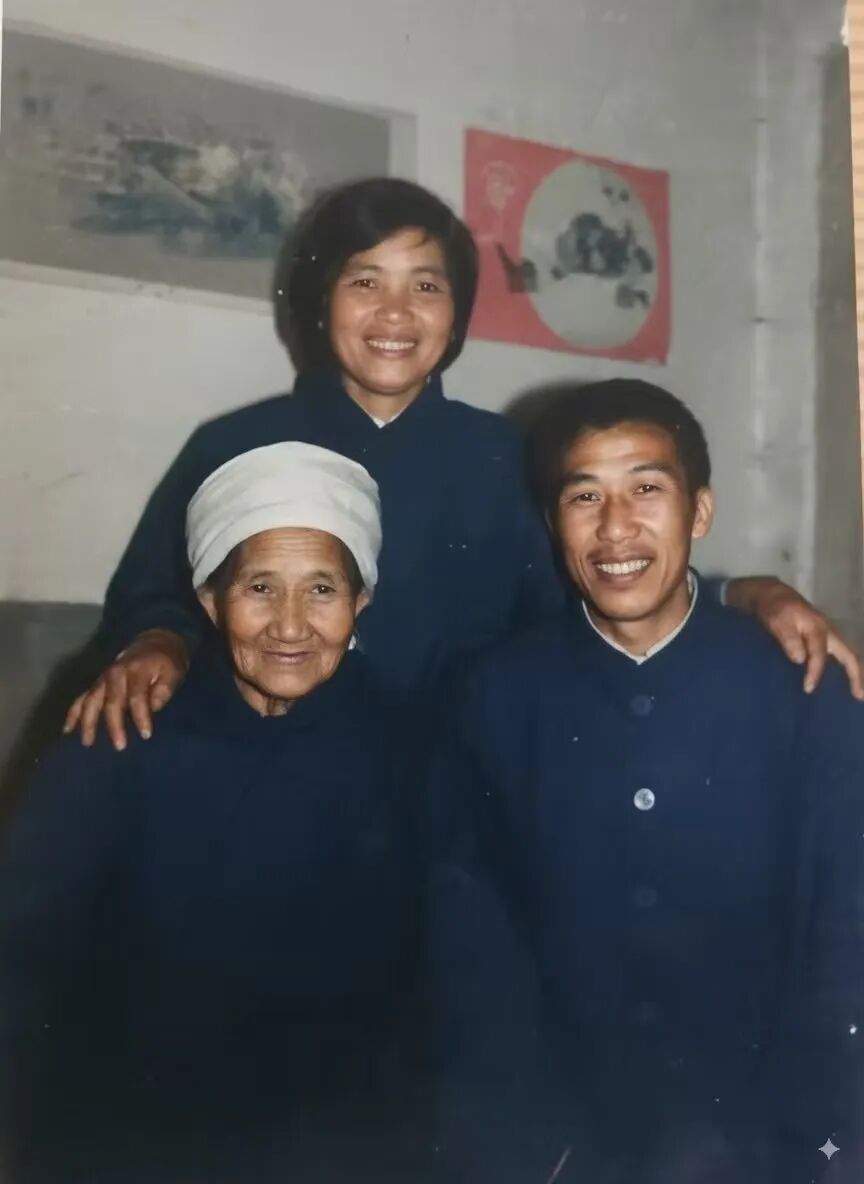
这类修复更适合人像、合影、旧证件照和家庭相册。最终效果应该是灰阶更清楚、主体更突出,但照片仍然能看出年代痕迹。
可以根据需求微调:
Repair and restore this old black-and-white photo, keep the original film grain and paper texture, slightly enhance contrast, and avoid a modern digital look.
这条版本额外强调 film grain 和 paper texture,适合不希望模型过度磨皮、过度降噪的场景。
彩色化修复:给黑白照片上色,但要符合年代背景
黑白照片彩色化最容易失控。常见问题包括肤色过红、衣服颜色过鲜艳、背景变成现代照片质感。提示词里必须加入自然、真实和符合年代的限制。
推荐写法:
Colorize and restore this old black-and-white photo, keep the colors natural, realistic, and period-accurate, without making it look artificial.
这条提示词里,period-accurate 非常关键,意思是颜色要符合照片所属年代。它比单纯说 colorful 更安全,因为目标不是“颜色丰富”,而是“像那个年代可能出现的颜色”。
| 彩色化前 | 彩色化后 |
|---|---|
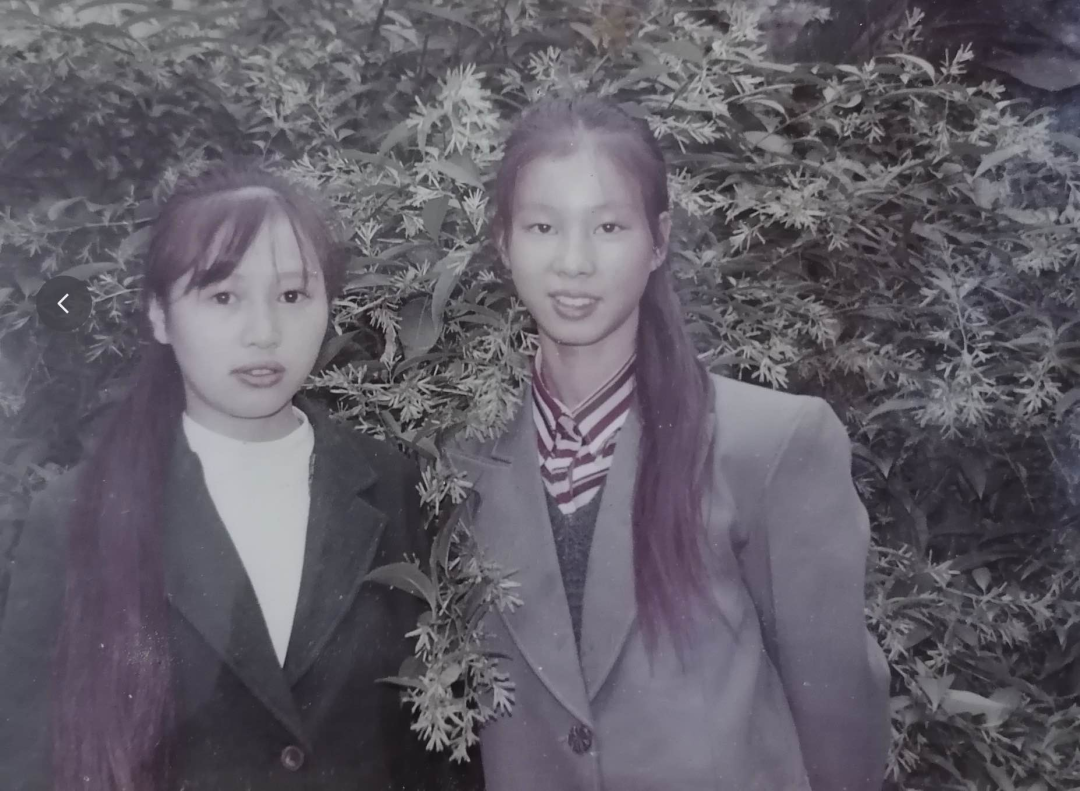
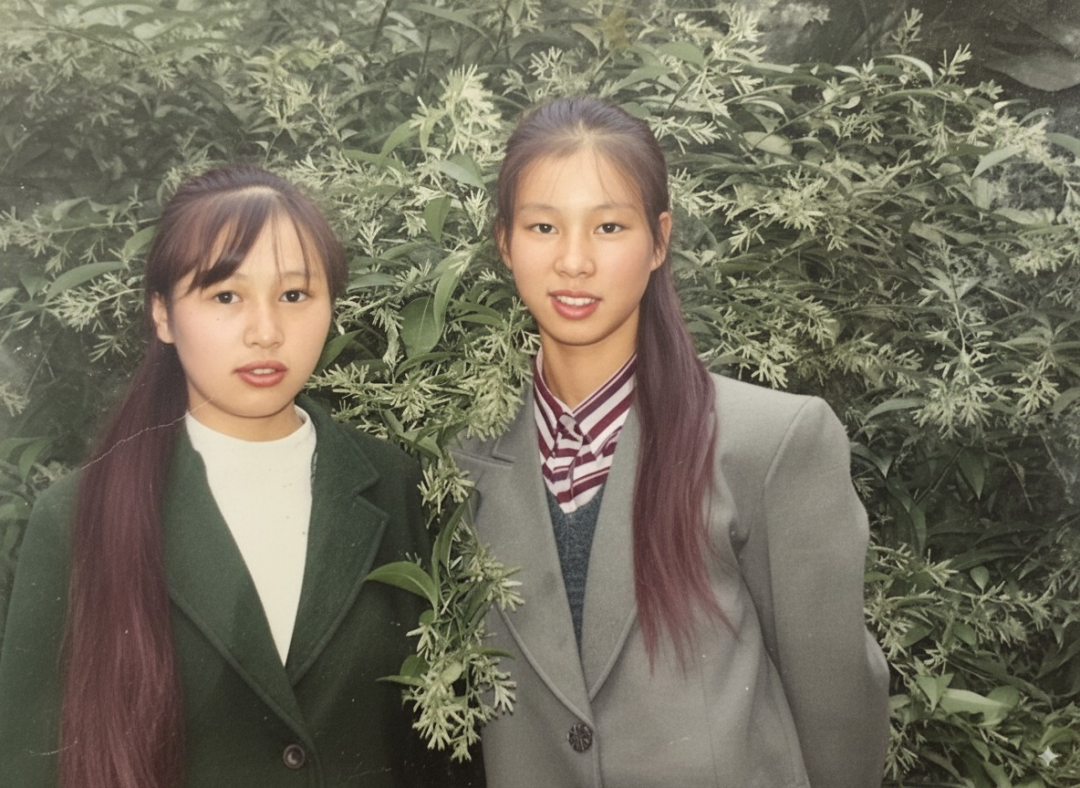
彩色化适合用在主体清晰、灰阶层次完整的黑白照片上。如果原图严重过曝、面部细节缺失,模型可能会凭空补充颜色和纹理,人物相似度会下降。
可以按不同目标调整提示词:
| 目标 | 提示词补充 |
|---|---|
| 肤色更自然 | keep natural skin tones |
| 衣服颜色不要太鲜艳 | use subtle and muted colors |
| 保留老照片氛围 | preserve the vintage atmosphere |
| 不要现代滤镜感 | avoid modern color grading |
| 背景颜色更克制 | keep background colors soft and realistic |
一个更稳的彩色化版本:
Colorize and restore this old black-and-white portrait, keep natural skin tones, use subtle and period-accurate colors, preserve the vintage atmosphere, and avoid modern color grading.
多轮优化比一次性写长提示词更稳
一次性写入“去划痕、修脸、上色、增强对比、保留颗粒、暖色调、不要失真”等大量要求,模型可能会把约束混在一起处理。更稳定的做法是分轮完成。
sequenceDiagram
    participant U as 用户
    participant N as Nano Banana
    U->>N: 第 1 轮:基础修复 去噪 去划痕
    N-->>U: 返回干净版本
    U->>N: 第 2 轮:增强面部细节 保持自然
    N-->>U: 返回细节优化版本
    U->>N: 第 3 轮:轻度调色或保留复古风格
    N-->>U: 返回最终版本
三轮提示词可以这样写。
第 1 轮,先把照片修干净:
Restore and enhance clarity, remove noise and scratches.
第 2 轮,只处理细节,不改人物:
Fine-tune the restored photo, sharpen facial details while keeping a natural look.
第 3 轮,做轻微风格调整:
Apply light color grading for a warm vintage tone.
如果照片是黑白照片,第三轮也可以改成:
Keep the black-and-white vintage style, slightly enhance contrast, and preserve film grain.
如果要彩色化,第三轮可以改成:
Colorize the restored photo with natural, realistic, and period-accurate colors.
分轮处理的好处是可控。第 1 轮主要看缺陷是否去掉,第 2 轮看人物是否自然,第 3 轮才处理审美风格。某一步出问题时,只需要回退那一步,不必从头调整一条复杂提示词。
常用提示词模板
可以根据照片状态直接选择模板。
| 场景 | 可直接使用的提示词 |
|---|---|
| 普通老照片变清晰 | 修复这张老照片,restore the original look,提高清晰度和对比度,保持人物五官真实,不要过度美化。 |
| 划痕、污渍、噪点明显 | Restore this vintage photo, remove scratches, stains, and noise, enhance facial details, keep natural skin tones, and maintain the original atmosphere of the era. |
| 黑白照片保留复古质感 | Repair and restore this old black-and-white photo, keep the vintage texture, and slightly enhance contrast for a clean but authentic look. |
| 黑白照片自然上色 | Colorize and restore this old black-and-white photo, keep the colors natural, realistic, and period-accurate, without making it look artificial. |
| 防止脸变样 | Preserve the original identity and facial structure, do not change the person's face. |
| 防止过度磨皮 | Keep realistic skin texture, avoid plastic skin, and preserve natural facial details. |
| 防止过度现代化 | Preserve the vintage atmosphere and avoid a modern digital look. |
写提示词时容易踩的坑
1. 只写“高清修复”
高清修复 这个要求太宽泛,模型可能会自动增强、磨皮、锐化,甚至重新生成面部细节。更好的写法是把动作拆开:
提高清晰度,remove noise and scratches,保持人物五官真实,不要改变脸型和表情。
2. 要求“越真实越好”
“真实”本身很模糊。对老照片来说,真实可能意味着保留颗粒、保留纸面纹理,也可能意味着自然肤色和合理光影。提示词要把“真实”拆成可执行的约束:
keep natural skin tones, preserve film grain, maintain the original lighting, avoid over-smoothing.
3. 上色时追求鲜艳
老照片彩色化不适合使用 vivid colors、bright colors 这类词,除非明确想要艺术化效果。更稳的词是:
natural colors, realistic colors, muted colors, period-accurate colors
4. 把修复和换风格混在一起
老照片修复和风格化改图是两件事。修复阶段应该尽量保护原始信息,风格阶段再做轻微调色。如果一开始就要求“电影感、写真感、高清大片感”,人物身份和年代氛围更容易丢失。
5. 不检查人物相似度
老照片修复最重要的不是画质,而是人物是否还是原来的样子。每次生成后都要重点检查:
| 检查项 | 需要关注的问题 |
|---|---|
| 五官 | 眼睛、鼻子、嘴型是否被改动 |
| 脸型 | 下颌、额头、颧骨是否变化明显 |
| 表情 | 是否从自然表情变成摆拍感 |
| 年龄 | 是否被修年轻太多 |
| 服装 | 纹理和年代特征是否被改掉 |
| 背景 | 是否出现不合理的新物体 |
一套更通用的完整提示词
如果只想保存一条通用模板,可以使用这个版本:
修复这张老照片,restore the original look,remove scratches, stains, and noise,enhance clarity and facial details,保持人物五官、脸型和表情真实自然,不要改变人物身份,不要过度美化,保留原有年代氛围和照片质感。
如果是黑白照片并且不需要上色:
Repair and restore this old black-and-white photo, remove scratches and noise, enhance clarity and facial details, keep the vintage texture and film grain, preserve the original identity and facial structure, and avoid a modern digital look.
如果是黑白照片并且需要自然上色:
Colorize and restore this old black-and-white photo, remove scratches and noise, enhance facial details, keep natural skin tones, use subtle and period-accurate colors, preserve the vintage atmosphere, and avoid making it look artificial.
老照片修复提示词的核心不是堆形容词,而是给模型清楚的边界:哪里要修、哪里不能动、最终应该像什么、不应该像什么。只要把“修复目标、缺陷处理、人物保真、风格控制”这几项写完整,Nano Banana 生成稳定自然结果的概率会高很多。